
The Smart Way to Protect Kids Online

7.5M
children protected by Bark
4.1M
severe self-harm situations detected
6.7M
severe bullying situations detected
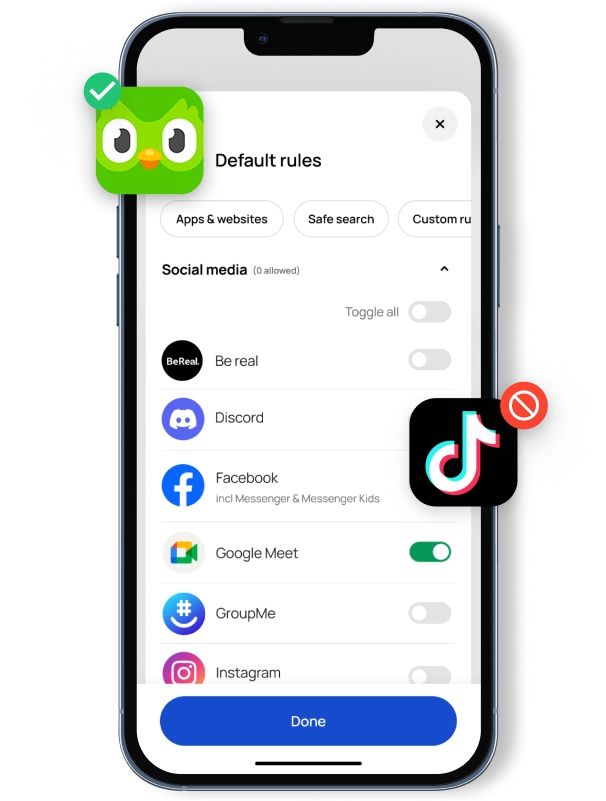
Create a kid-safe digital world with blocking
Choose from 45 categories of websites & apps to block — you can even create exceptions like “No streaming sites except for Disney+”.
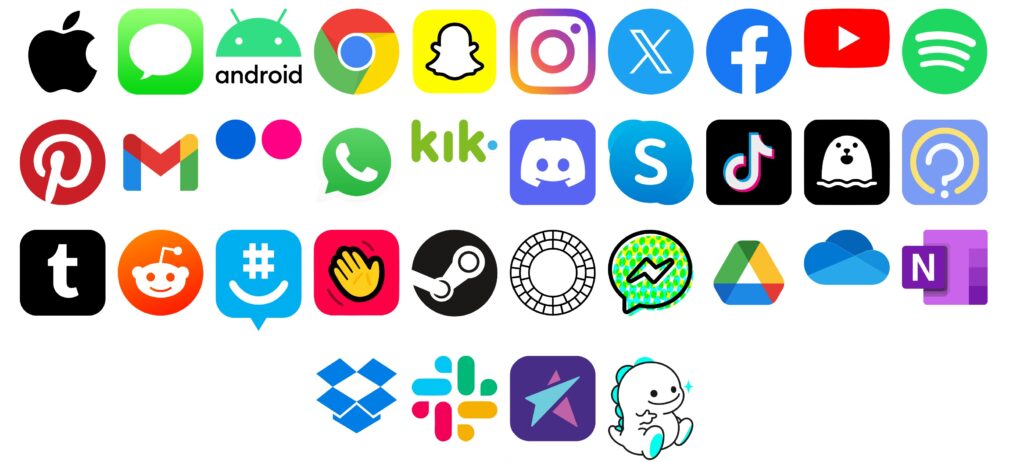
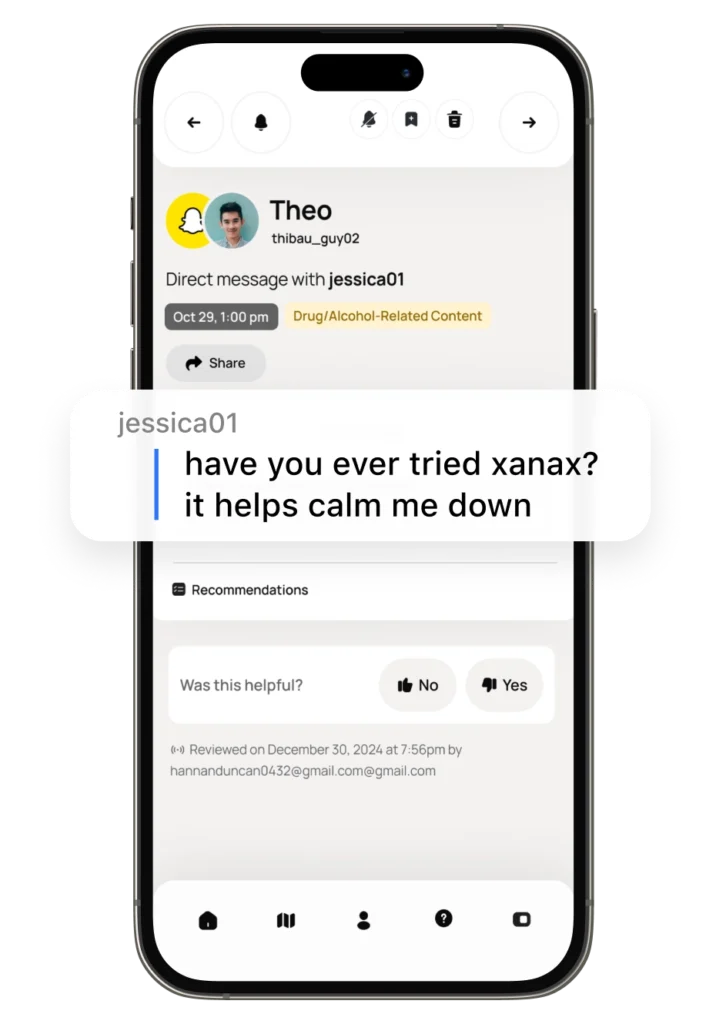
Monitor photos, texts, emails, apps & social media
Signs your kid may be struggling can lie hidden in their online world.
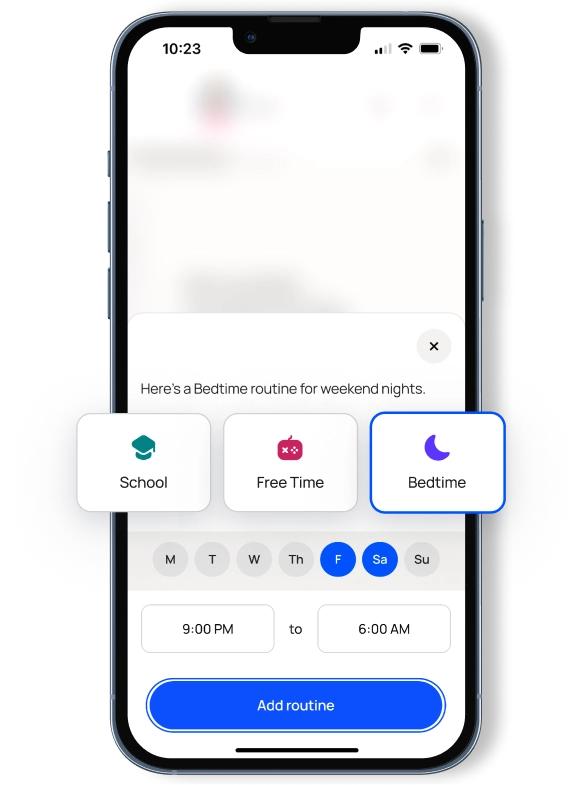
Create screen time routines for every day of the week
Mondays and Thursdays can look different — so can weekends.
Keeping You Connected to What Matters Most.
With our fast, reliable internet and Magni-Fi whole-home Wi-Fi, you can work from home, video chat with family, and stream your favorite shows without missing a beat. While the online world brings countless benefits, it can also be overwhelming for parents trying to protect their kids’ digital lives.
That’s why BEAM now offers Bark, an essential tool that works hand-in-hand with Magni-Fi to give you more control and peace of mind. Bark monitors social media, texts, and online activity, alerting you to concerns like:
Cyberbullying
Inappropriate content
Online predators
Suicidal thoughts
With Bark and Magni-Fi from BEAM, you’ll have the insights and network tools you need to guide, protect, and start important conversations with your kids — all backed by a team that’s local and cares about families just like yours.
FAQs
What does Bark do?
Bark can monitor your child’s texts, email, YouTube, and 30+ apps and social media platforms for issues like cyberbullying, adult content, sexual predators, profanity, suicidal ideation, threats of violence, and more.
Parents receive text or email alerts only when something potentially problematic occurs online. You won’t have full access to everything on your child’s phone — just the things you might need to know about. This saves you countless hours of scrolling through every online interaction your child has while allowing you to build trust and maintain an open line of communication with your child.
Families can set time limits and create schedules for when their children’s devices can connect to the internet (through both cell service and Wi-Fi).
Bark’s web filter lets you select which websites are appropriate for your child to access on their devices. You can block specific sites or even whole categories like streaming services, online gaming, sexual content, and more.
How does Bark work?
Bark uses advanced machine learning and statistical analysis techniques to recognize potential problems. Simple keyword searches are not enough to detect the majority of issues, which is why Bark’s service uses contextual analysis and natural language processing to determine when something serious might be happening.
Families can manage not only when their kids can access the internet on their devices, but also which sites they can visit.
You can create custom profiles for each child in your house, create screen time schedules, and manage access to a wide variety of websites — including video streaming, gaming, adult content, and more.
When does Bark start monitoring?
Once Bark is downloaded and connected to your child’s accounts or device, it will perform an initial scan of activity from the past 60 days. After that, Bark will automatically monitor all new activity moving forward.
How do I get started with Bark?
To get started either fill out a contact form or connect with us by texting 888-989-2326 or calling 334-298-7000. Our agents will assist you with getting signed up through BEAM.
What if I’m a current Bark subscriber, and I want to get Bark through BEAM?
Current Bark subscribers can absolutely continue their Bark services through BEAM; however, there is an additional step required. You’ll need to temporarily cancel your Bark account, then let BEAM add Bark to your BEAM account with the same email you used for your Bark account. Then, your Bark account will be reactivated, and all your existing profiles, settings, and alerts will be reinstated. Step by step instructions can be found here.
What devices does Bark cover?
The Bark app is compatible with iPhones, iPads, Androids phones, Android tablets, laptops, computers, Chromebooks, and Amazon Fire tablets. Check out our full list of everything Bark can monitor on each device.
Does Bark have an iOS app?
Yes, click here to download our iOS app for parents. This app allows you to review alerts, add children, connect accounts, update notification settings, and more.
The Bark Kids app will need to be installed on your child’s iOS device to block apps and sites.
The Bark Desktop App will need to be installed on a Windows or Mac computer to monitor the iOS device texts, photos, videos, WhatsApp, and Kik for issues. (Don’t have a computer? You can use the Bark Home in place of a computer for iOS monitoring).
What can I do with Bark's parental controls for iOS?
Bark’s parental controls for iOS devices give you the power to monitor your child’s online activities in a groundbreaking way.
Our content monitoring uses advanced AI to scan messages, posts, comments, replies, web searches, and so much more to find potential dangers. If something concerning is found, you’ll get a timely alert so you can check in and make sure everything is okay. Learn more about what Bark monitors on iOS devices here.
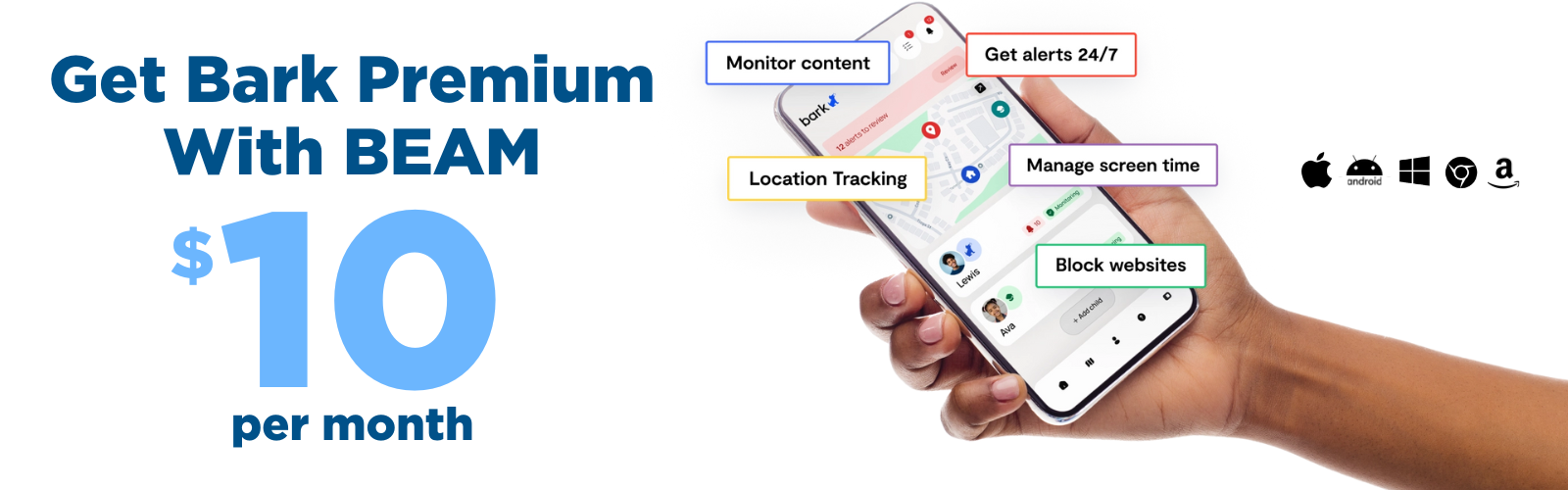
In addition to monitoring, Bark also lets you manage screen time, block websites & apps, and track location 24/7.
These key features of our iPhone parental monitoring app work together to build a powerful digital safety net to help you protect your child online and in real life.
Does Bark have an Android app?
Yes, click here to download our Android app. The app allows you to review alerts, add children, connect accounts, update your notification settings, and more.
The Bark for Kids app will need to be installed on your child’s Android device to allow Bark to monitor content, manage screen time, and block websites on the device.
What can Bark's parental controls for Android devices do?
Bark’s parental controls for Androids give you the power to monitor your child’s online activities in a groundbreaking way.
Our content monitoring uses advanced AI to scan messages, posts, comments, replies, web searches, and so much more to find potential dangers. If something concerning is found, you’ll get a timely alert so you can check in and make sure everything is okay. Learn more about what Bark monitors on Android devices here.
In addition to monitoring, Bark also lets you manage screen time, block websites & apps, and track location 24/7.
These key features work together to build a powerful digital safety net to help you protect your child online and in real life.
Is my child's data secure?
Absolutely. At Bark, security is paramount. Our website uses SSL encryption and all analyzed data is stored within an encrypted database. You can rest easy knowing your children’s data is secure.
Still have questions? Feel free to check out Bark’s own FAQ’s here. Please note, some of their responses are specific to those subscribing to their services through Bark directly.